Most Australian commuters only open their public transport account when an auto-top-up fails or a station gate flashes an error code. By the time a Brisbane commuter on r/brisbane noticed a $2.50 default fare from a broken station reader earlier in the year, more than 120 days had passed and the online Translink portal automatically blocked the adjustment request.
5-Minute Fare Check: How to Check Your Opal, Go Card, Myki and SmartRider Travel History (2026)

Building a simple 5-minute fare check routine once every two to three months keeps your trips inside every state's dispute window before unclosed journeys and broken-reader charges expire. Whether you commute with Opal in Sydney, go card or contactless in South East Queensland, myki in Melbourne, or SmartRider in Perth, here is how far back each system stores your travel history, how to download your statement, and what to look for in five minutes.
The quick answer: travel history limits and claim deadlines by state
- New South Wales (Opal & Contactless): Registered Opal accounts display up to 18 months of activity statements online ( TfNSW Opal card balance and activity ), while the Transport Connect portal shows up to 12 months of contactless bank card trips. However, fare adjustment requests must be lodged within 90 days for Opal cards and 80 days for contactless cards, and approved Opal card credits must be collected by tapping on within 60 days.
- Queensland (Translink go card & Smart Ticketing): Your online go card account lets you view and export up to 6 months of travel history, and the Translink Ticketing Assistant tracks contactless bank card trips. You have a strict 120-day deadline from the date of travel to click Report and request a balance adjustment for a $2.50 (or $25.80 Airtrain) default fare caused by a system or equipment issue ( Translink Default fares ).
- Victoria (Transport Victoria myki): Logging in to Manage myki lets you view and export up to 6 months of PDF transaction statements (or up to 2 years on request via 1800 800 007). If a faulty reader or severe disruption caused a $2.85 Zone 1+2 default fare, you can claim via Transport Victoria, while monthly Metro Trains punctuality compensation requires 10 touch-on days and must be claimed within the calendar month results are published ( Transport Victoria Refund a myki or ticket ).
- Western Australia (Transperth SmartRider): Your Transperth MyAccount shows recent tag history once trips settle (usually within 24 to 48 hours after your next tag-on). Faulty validator adjustments for $3.50 Go Anywhere ($2.40 ferry) cash default fares are handled through the Transperth InfoLine on 13 62 13 or an InfoCentre.
Why a 60-to-90-day check beats a 6-month check
Although commuters often think about auditing their transport card every six months (around end of financial year or Christmas), waiting six months means half of your trips are already past the legal adjustment deadline in New South Wales and Queensland:
- 80 days (NSW Contactless): If a broken reader or gate evacuation overcharged your Visa, Mastercard, Amex, phone, or watch in Sydney, the Fare not right button in Transport Connect closes after 80 days.
- 90 days (NSW Opal Card): Registered and unregistered Opal card fare adjustment enquiries cut off at 90 days from the date of travel.
- 120 days (QLD go card & Smart Ticketing): Both the `History -> Report` link in your go card account and the Translink Ticketing Assistant block online claims after 120 days.
- Calendar-month window (VIC Metro Trains compensation): If Metro Trains misses its monthly reliability or punctuality target, eligible myki Money and myki Pass commuters (with 10+ touch-on days) only have until the end of the notification month to claim.
Setting a recurring calendar reminder on the 1st of every second month (or once a quarter) guarantees that every single trip you review is still inside the 80-day, 90-day, and 120-day claim windows across Australia.
Step-by-step: the 5-minute travel history check for your state
1. New South Wales: how to check your Opal or contactless activity statement
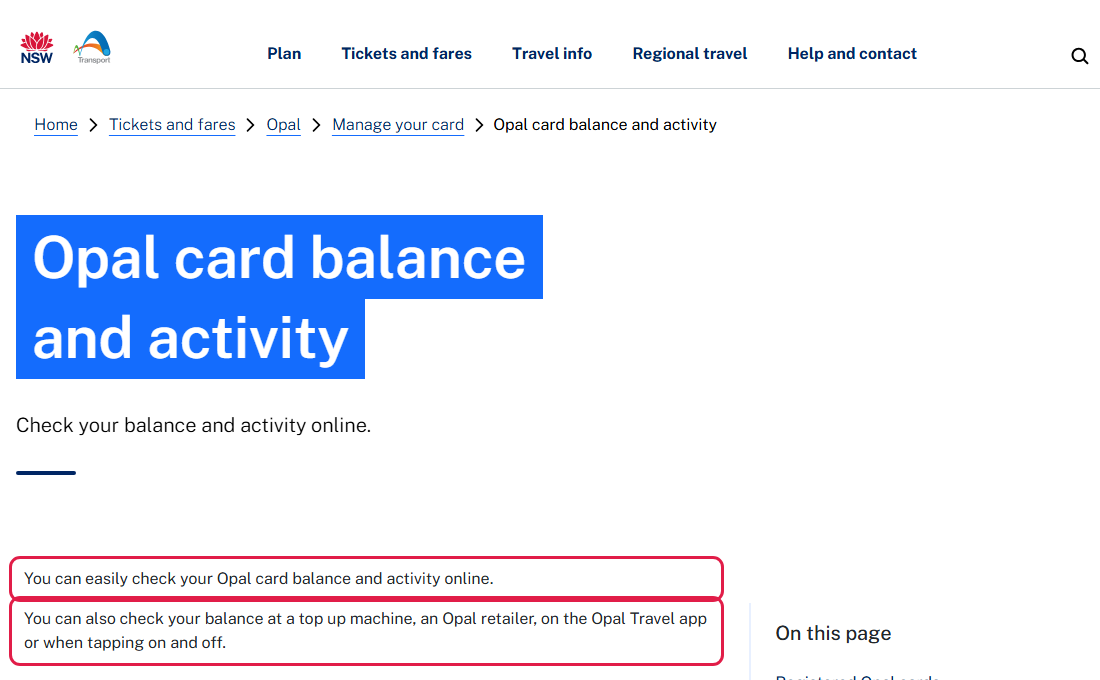
Under Transport for NSW's Opal card balance and activity rules , registered cardholders can view and download up to 18 months of itemised travel activity:
- Go to transportnsw.info/opal (or open the Opal Travel app) and sign in to your Opal account.
- Select your Opal card and open Opal activity to view your monthly statement PDF, or log in to Transport Connect if you tap with a contactless bank card, phone, or watch.
- Scan the fare column for Default fare or No tap off lines (up to $10.66 Adult peak on trains/metro, $5.77 on buses/light rail, or $9.20 on ferries).
- Check eligibility before claiming: Under TfNSW's Opal refunds and fare adjustments policy , Opal only approves fare adjustments for three specific reasons: (a) a faulty Opal card reader charged an incorrect fare, (b) you could not tap off due to an emergency evacuation or power/equipment outage, or (c) a service disruption forced a diversion where you could not tap off. Simply forgetting to tap off is not refundable in NSW.
For copy-paste claim templates when a faulty reader or disruption is to blame, read our Opal Fare Adjustment & Refund guide .
2. Queensland: how to check your go card or Smart Ticketing history
In South East Queensland, every normal trip across bus, train, G:link tram, and ferry costs 50 cents, making any $2.50 or $25.80 line item stand out immediately:
- Log in to your go card online account and click the History tab (or open the Translink Ticketing Assistant if you tap with a bank card, phone, or smart device).
- Select the past 60 to 90 days on the calendar picker and click Search (or click Export data to download your statement file).
- Look for any row showing Failed Touch Off, Unknown, or a $2.50 deduction ($25.80 at Brisbane Airport stations).
- If the incomplete trip was caused by a broken validator, open station barrier, or service disruption within the past 120 days, click Report on the right side of that trip row to submit a balance adjustment.
See our full walkthrough in Go Card Failed Tap Off: Translink's $2.50 and $25.80 Default Fares and the 120-Day Rule .
3. Victoria: how to check your myki travel history
Because Melbourne's myki system often deducts an unclosed default fare the next time you touch on rather than at the end of the original trip, reviewing your downloadable PDF statement is the easiest way to spot hidden Zone 1+2 charges:
- Sign in to Manage myki on transport.vic.gov.au using your registered account.
- Select your myki card and open Travel history / myki activity for the past 60 to 90 days (up to 6 months is available online).
- Export your statement PDF and check for Default fare deductions of $2.85 Full fare ($1.42 Concession) on trips that stayed entirely within Zone 2 (where a 2-hour fare is $1.80 Full fare / $0.90 Concession), or $2.85 deductions from accidentally touching on inside Melbourne's CBD Free Tram Zone.
- If a faulty reader or severe disruption caused the overcharge, submit a claim via Transport Victoria's refund portal or call 1800 800 007.
Read our step-by-step Victorian claim guide in How to Claim a Myki Refund or Reimbursement in Victoria .
4. Western Australia: how to check your Transperth SmartRider history
On Perth's network, a missed tag-off cancels your 10% or 20% SmartRider discount and deducts the full Cash fare ($3.50 Standard Go Anywhere / $1.60 Concession on trains and buses, or $2.40 / $1.10 on Elizabeth Quay ferries) the next time you tag on:
- Log in to Transperth MyAccount and select SmartRider Transaction History.
- Review your recent trips for full $3.50 or $2.40 cash-rate deductions instead of your normal $2.80 (Go Anywhere with 20% Autoload) or $1.92 (2-Section with 20% Autoload) fare, or unexpected deductions after Free Sunday Travel.
- If a faulty bus or station processor prevented you from tagging off, call the Transperth InfoLine on 13 62 13 with your 9-digit SmartRider number (`SR 0...`), route or station, and timestamp. (Do not submit the PDF Balance Refund Form unless you want to close and cancel your card permanently.)
See How to Claim a Transperth SmartRider Refund or Fare Adjustment for the complete WA checklist.
Automate your 5-minute check with FareClaim's free browser scanner
Instead of reading through hundreds of rows of tap timestamps by eye, you can follow our step-by-step history download guide and drop your Opal PDF, go card history export, or myki statement directly into FareClaim .
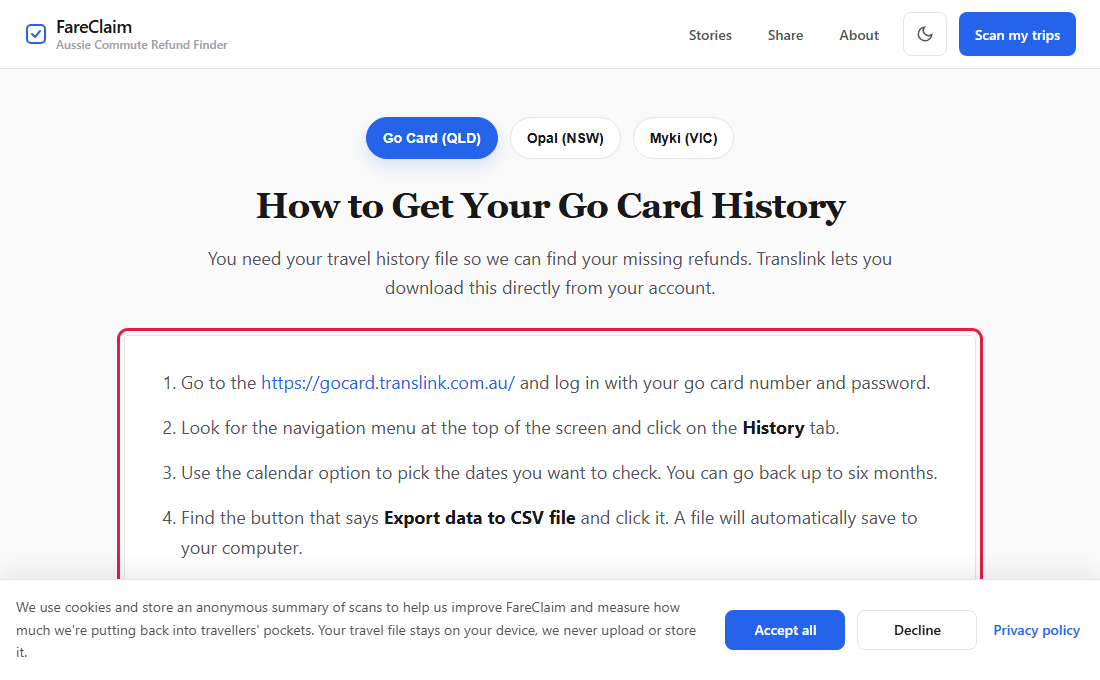
FareClaim is a 100% free, volunteer-run commuter tool. Your statement file is analysed entirely inside your own browser and never uploaded to a server, flagging default fares, fixed fares, and duplicate charges in seconds so you can check whether a broken reader or disruption was responsible before your state's deadline expires.
Run your 5-minute fare check free on FareClaim
Related guides
- Default Fare for an Incomplete Trip: Opal, Go Card, Myki and SmartRider Compared (2026)
- Opal Fare Adjustment & Refund: How to Claim Online (90-Day Rule & Templates)
- Go Card Failed Tap Off: Translink's $2.50 and $25.80 Default Fares and the 120-Day Rule
- How to Claim a Myki Refund or Reimbursement in Victoria
FAQ
How far back can you check your Opal, go card, myki, and SmartRider travel history?
Registered Opal accounts show up to 18 months of online activity statements (12 months for contactless cards in Transport Connect). Both Queensland's go card portal and Victoria's Manage myki portal let you view and export up to 6 months of travel history online (with up to 2 years of myki history available by calling 1800 800 007).
Why should I check my public transport history every 60 to 90 days instead of once a year?
Even though your online account stores 6 to 18 months of statements, fare adjustment deadlines are much shorter: 80 days for NSW contactless trips, 90 days for NSW Opal card trips, and 120 days for Queensland Translink go card and contactless trips. Checking once every two to three months ensures no eligible faulty-reader claim expires.
Can I get a refund in NSW if my travel history shows I forgot to tap off?
No. Under Transport for NSW policy, a forgotten tap off is not refundable. Opal fare adjustments only cover three situations: an issue with a faulty Opal reader, an emergency evacuation or power/equipment outage that prevented you from tapping off, or a service disruption that forced a diversion where you could not tap off.
Sources: Transport for NSW, [Opal card balance and activity](https://transportnsw.info/tickets-fares/opal/manage-your-card/opal-card-balance-activity) and [Opal refunds and fare adjustments](https://transportnsw.info/tickets-fares/opal/manage-your-card/opal-refunds-fare-adjustments); Translink (Queensland Department of Transport and Main Roads), [Default fares](https://translink.com.au/tickets-and-fares/fares-and-zones/fixed-fare) and [About go card](https://translink.com.au/tickets-and-fares/go-card/about-go-card); Transport Victoria, [Manage myki](https://transport.vic.gov.au/manage-myki) and [Refund a myki or ticket](https://transport.vic.gov.au/help-and-support/public-transport-ticketing-help/refund-a-myki-or-ticket); Transperth (Public Transport Authority of Western Australia), [Using SmartRider](https://www.transperth.wa.gov.au/smartrider/using-smartrider) and [Transperth Fares (effective 1 January 2026)](https://www.transperth.wa.gov.au/tickets-fares/fares), all checked 16 November 2026.
Disclaimer: FareClaim is an independent, volunteer-run community resource and is not affiliated with Transport for NSW, Translink (Queensland), Transport Victoria / Public Transport Victoria (PTV), or Transperth / Public Transport Authority of WA. Fare figures and refund rules are sourced from official operator publications on the date noted and provided as general consumer information only.
Written by
Jason Tan
Advocate & Volunteer, FareClaimPublic transport commuter advocate and volunteer at FareClaim, helping everyday passengers detect fare glitches, avoid penalty overcharges, and claim refunds.